
Magzter: Magazines, Newspapers
Magzter Inc.News & Magazines
3.81.00K Reviews
- Version
- 8.74.0
- Installs
- 1.00M
- Age Rating
- Teen
Screenshots

Our Review of Magzter: Magazines, Newspapers
 Analysis by Appyee
I like digital magazines most when they fit into small pockets of time: a few pages with breakfast, a feature on the bus, or a newspaper while waiting for an appointment. Magzter: Magazines, Newspapers is built around that kind of browsing, bringing publications from many subjects and languages into one reading app. My main question is not simply how much it contains, but whether its mix of free access and paid choices makes sense for the way you actually read.
What the free access and paid choices mean
The app is free to download, but that does not mean every publication or issue is free to read. Magzter offers in-app purchases, with listed items ranging from $0.99 to $399.99. That broad range is a useful reminder to check the price and terms attached to a specific title before buying or starting a subscription; a single issue and a larger access option are different commitments.
I would treat the free app as a way to explore the catalog and decide what is worth paying for, rather than assume that installing it unlocks every magazine. If you only read one title occasionally, an individual issue may suit you better than paying for broader access. If your habits change from week to week, a subscription could be more convenient, but its value depends on the publications and access included in the offer you choose.
How to judge whether a subscription is worth it
Before spending, I’d make a short list of the publications I genuinely expect to read and compare that routine with the purchase options shown in the app. A large catalog looks impressive, but it only creates value when the titles you want are available under an arrangement you are comfortable paying for. It is easy to confuse “many things to browse” with “many things I will use.”
Also consider your reading pace. Someone who finishes several issues in a month may get more out of a broad-access plan than someone who follows one publication slowly. I would avoid paying for a recurring option just because the catalog feels abundant on day one; first test whether you return to the same titles after the initial browsing excitement fades.
A World of Reading at Your Fingertips
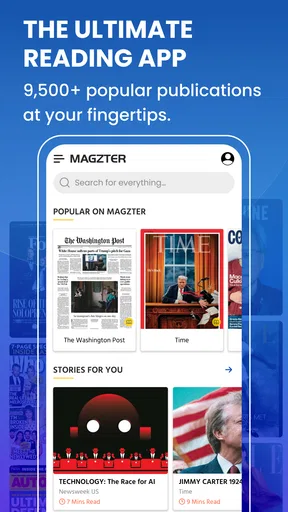
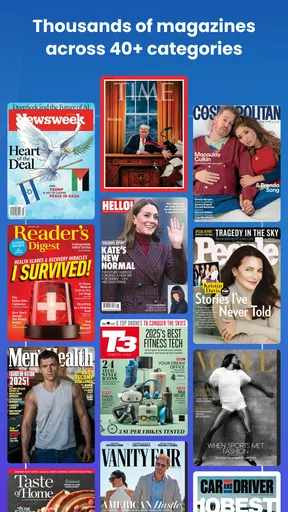
The first thing that struck me about Magzter is the sheer volume of content it offers. We're talking over 5,000 magazines and newspapers from around the globe. Whether you're into fashion, fitness, technology, or cooking, there's something here for everyone. The range is vast, and it feels like having a library in the palm of your hand.
Browsing through the app feels like walking into a high-end bookstore. The interface is sleek and intuitive. You can easily search for your favorite publications or explore new genres you never thought you'd enjoy. There's a handy feature called "My Collection," where you can save all your favorites for easy access. It’s like creating your personalized magazine rack, minus the dusting.
Choosing a reading routine that works
My most practical use for a catalog like this is to set up a small, deliberate reading shelf instead of browsing endlessly. I’d save a few publications in My Collection: one for a main interest, another for a different mood, and perhaps a newspaper for current affairs. Then I can open the app with a purpose rather than spend my free time scrolling through possibilities.
This approach also helps answer a common question: is the app better for discovering titles or keeping up with familiar ones? I find it can serve both roles, but the experience is more useful when discovery leads to a repeatable habit. Search is the direct route when you already know what you want; browsing is better when you have time to sample an unfamiliar subject. If you are only looking for breaking headlines, a dedicated news app may get you to the latest update faster.
Seamless Reading Experience
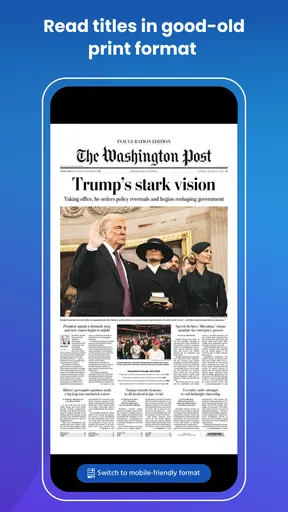
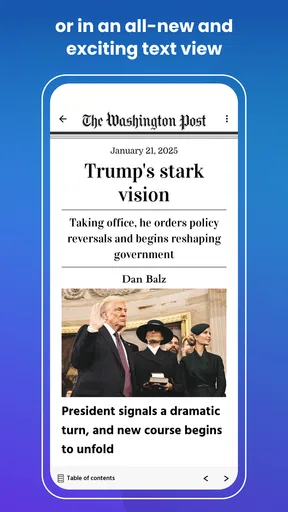
Reading on Magzter is a treat. The app offers a smooth, uninterrupted reading experience, which is crucial when you're deep into an article or story. The text is crisp, and you can zoom in on images without losing quality. Plus, there's an option to switch to text view, making it easier to read lengthy articles on smaller screens.
I also appreciate the offline reading feature. You can download entire issues to read later, perfect for those long commutes or flights without Wi-Fi. This offline capability means your reading isn’t interrupted by connectivity issues, which is a big plus for me.
A useful offline workflow
For a commute or flight, I’d choose an issue while connected and download it ahead of time rather than rely on a signal when I need it. That small bit of planning makes the offline option genuinely practical. It also means I can decide what I want to read before leaving, instead of using limited downtime to browse and wait for content to load.
There is a trade-off: magazine layouts often rely on images and page design, while text view is more comfortable for long reading on a small screen. I’d use the visual page when photography, charts, or the original layout matters, then switch to text view for a long article when I mainly want the words. Neither mode is automatically best; the useful choice depends on the publication and where you are reading.
Subscription Options Galore
If you're someone who likes variety, Magzter Gold is a game-changer. This all-you-can-read subscription gives you access to thousands of issues for a fixed monthly fee. It's like Netflix for magazines, and honestly, it’s a great deal if you find yourself frequently flipping through multiple publications.
For those who prefer to go a la carte, you can purchase individual issues or subscribe to specific magazines. The flexibility in subscription options is commendable, catering to different reading habits and budgets.
Where it differs from other ways to read
Compared with buying a print issue, an app-based library is easier to carry and can make switching between topics feel effortless. Compared with a single-publication app, Magzter’s appeal is variety: one place to explore magazines and newspapers rather than a separate destination for each title. That breadth is most valuable to curious readers, not necessarily to someone who already knows exactly which one publication they want.
The alternative can still be better. If you mainly need quick alerts and short updates, a conventional news app is usually a more direct fit. If you love the physical feel of a magazine, want a particular print edition, or read only one title, buying that publication directly may be simpler. Magzter’s strength is gathering options; that same breadth can feel like unnecessary choice when your reading needs are narrow.
Personalized Recommendations
One of the features that really stands out is the app's ability to recommend content based on your reading habits. It's like having a personal librarian who knows exactly what you're into. The more you read, the better the recommendations get. It’s a nifty way to discover new titles that you might not stumble upon otherwise.
Plus, you can follow publishers and get notifications when new issues are released. This ensures you never miss out on the latest content from your favorite sources.
Making discovery work for you
I’d use recommendations as a starting point, not as a substitute for choosing deliberately. If you are exploring a new topic, they can help surface publications you may not have searched for by name. Once you find a title you like, following its publisher gives you a more focused way to keep up with new releases. If notifications become distracting, it is worth being selective about which publishers you follow rather than turning every update into a reason to open the app.
Language variety is another reason the catalog may suit a household or reader with interests across countries. The app covers many languages, but that does not mean every publication is translated into every language. I would look for a title in the language I want to read, rather than assume a translation will be available. For language learners, original publications can be engaging practice, while readers who need consistently polished translations may prefer a publication produced in their strongest language.
Room for Improvement
While Magzter is packed with features, there are a few areas where it could improve. Occasionally, I encountered some lag when loading certain high-resolution images. It's not a deal-breaker, but something to be aware of if you're using an older device.
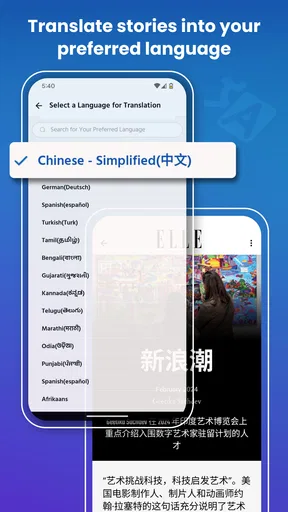
Additionally, while the app supports multiple languages, the translation quality can sometimes be hit or miss. For non-native speakers, this might be a bit of a hurdle, but I’m hopeful that future updates will address these minor glitches.
Checking fit before committing
For a realistic everyday test, I’d try it over a week of ordinary reading: search for a title I already recognize, browse one unfamiliar subject, and save only the publications I would actually revisit. I’d also open a long article in text view and download an issue before a planned trip. That gives a better sense of whether the app fits my routine than judging it by the size of its catalog alone.
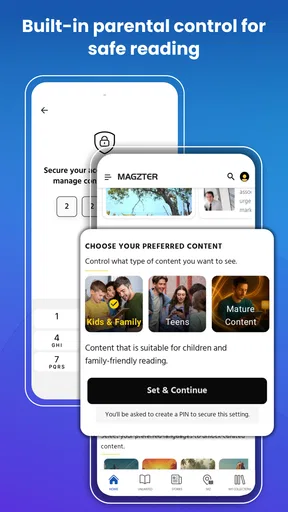
It is also sensible to check the details on each purchase screen before confirming anything, especially if you are comparing a single issue with a subscription. A free install is a low-commitment way to explore, but paid access should be judged title by title and against your real reading frequency. The age rating is Teen, so families should still make their own decisions about which publications are appropriate for a particular reader.
Final Thoughts
All in all, Magzter: Magazines, Newspapers is a fantastic app for anyone who loves to read. The convenience of having such a vast array of content in one place is truly unbeatable. Whether you’re a casual reader or a magazine aficionado, this app is worth checking out.
The reading experience is top-notch, and the subscription model is flexible enough to fit different needs. While there are a few areas for improvement, they are minor compared to the overall benefits the app offers. So, if you're ready to revolutionize your reading habits, give Magzter a try. Happy reading!
Who is most likely to get value from it?
I’d recommend trying it if you move between subjects, enjoy magazine-style features, or want newspapers and magazines together in a single reading routine. It has been available since June 23, 2011, and is developed by Magzter Inc.; its current version is 8.69.2, with Android 6.0 as the minimum OS. Its average rating is 3.8 from around 41,000 ratings, with about 1,000 written reviews and over 1 million installs. Those figures suggest a well-established app with a mixed reception, so I’d weigh your own needs more heavily than popularity alone.
It is less compelling if you want a completely free, comprehensive news service, because the app is free to install while some reading choices require payment. It may also be the wrong fit if you prefer print, read only one publication, or need fast headline alerts above all else. The best reason to choose it is not simply the size of its collection, but the chance that several of its titles will earn a regular place in your reading week.
My buy-or-skip take
I would start with the free app, explore a few relevant titles, and pay only when a specific issue or access option matches a habit I expect to keep. That keeps the decision grounded in actual reading rather than the tempting idea of having a huge virtual shelf. For a varied reader who enjoys browsing, that balance can make Magzter worthwhile. For a single-title loyalist or a reader seeking rapid updates, I’d choose a more focused alternative instead.
Verdict
Strengths of Magzter: Magazines, Newspapers
- Vast collection of global magazines.
- Easy to navigate user interface.
- Offline reading mode available.
- Affordable subscription plans.
- Customizable reading preferences.
Limitations of Magzter: Magazines, Newspapers
- Limited free content available.
- Occasional app performance lags.
- Ads in the free version.
- Requires internet for updates.
- Some issues with in-app purchases.
Similar Picks in This Category
View All
Google News - Daily Headlines
Google LLC4.0

X
X Corp.4.8

Flipboard:Your Social Magazine
Flipboard3.4

Opera News: breaking & local
Opera4.5

Hindi News by Dainik Bhaskar
Dainik Bhaskar Group4.0

Way2News Daily News App
Way2News ( Formerly Way2SMS )4.6
Frequently Asked Questions
What is Magzter and how does it work?
Magzter is a digital newsstand app that offers access to thousands of magazines and newspapers from around the world. Users can browse and read publications across various categories, including fashion, business, lifestyle, and more. The app also supports offline reading, allowing users to download content for later access without an internet connection.
Is there a subscription fee for using Magzter?
Yes, Magzter operates on a subscription model. Users can opt for individual magazine subscriptions or choose Magzter GOLD, which provides unlimited access to a vast selection of titles. Pricing may vary based on the region and type of subscription selected. Some publications may also be available for single-issue purchase.
On which devices can I use Magzter?
Magzter is available for both Android and iOS devices. It can be downloaded from the Google Play Store or Apple App Store. Additionally, users can access their Magzter account through a web browser, making it convenient to read content on larger screens such as desktops and laptops.
Does Magzter support offline reading?
Yes, Magzter supports offline reading. Users can download magazines and newspapers to their device, allowing them to read content without an active internet connection. This feature is especially useful for travelers or individuals with limited data access, ensuring uninterrupted access to their favorite publications.
Are back issues available on Magzter?
Magzter provides access to back issues for many of its publications. Users can explore the archives and read past editions of their favorite magazines and newspapers. The availability of back issues may vary depending on the publication, so it's advisable to check specific titles for more details.
